

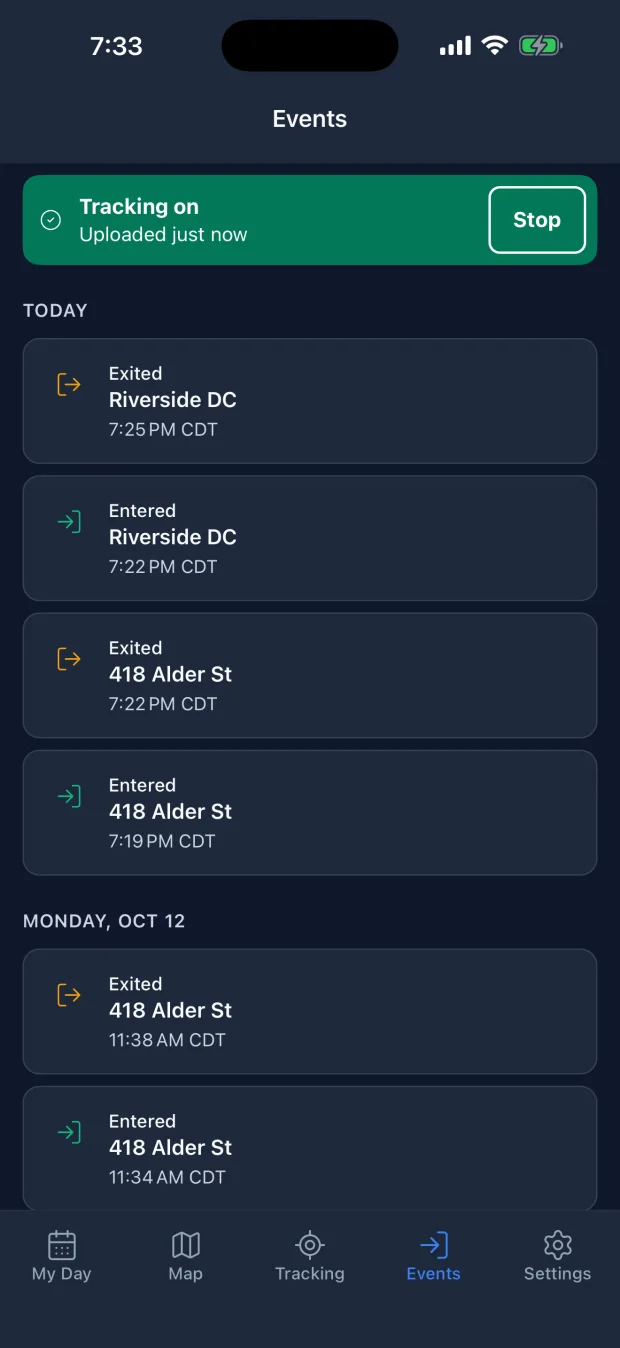
Visits log themselves
While you're tracking, arriving at a site your team has marked records the arrival, and leaving records the departure. My Day lists today's visits, and Events keeps the rest.
Start your shift and get on with the work. The app records your arrivals and departures at the sites your team has marked, takes your shift notes and photos, and holds up to a day of locations until you have signal. It shares your location only while you're on shift.


Managing a crew? Start free on the web
Joining a team? Accept the invitation from your SpatialFlow workspace. Starting a team? The app can create a workspace with email, Google or Apple. Background tracking requires location permission and compatible device settings.
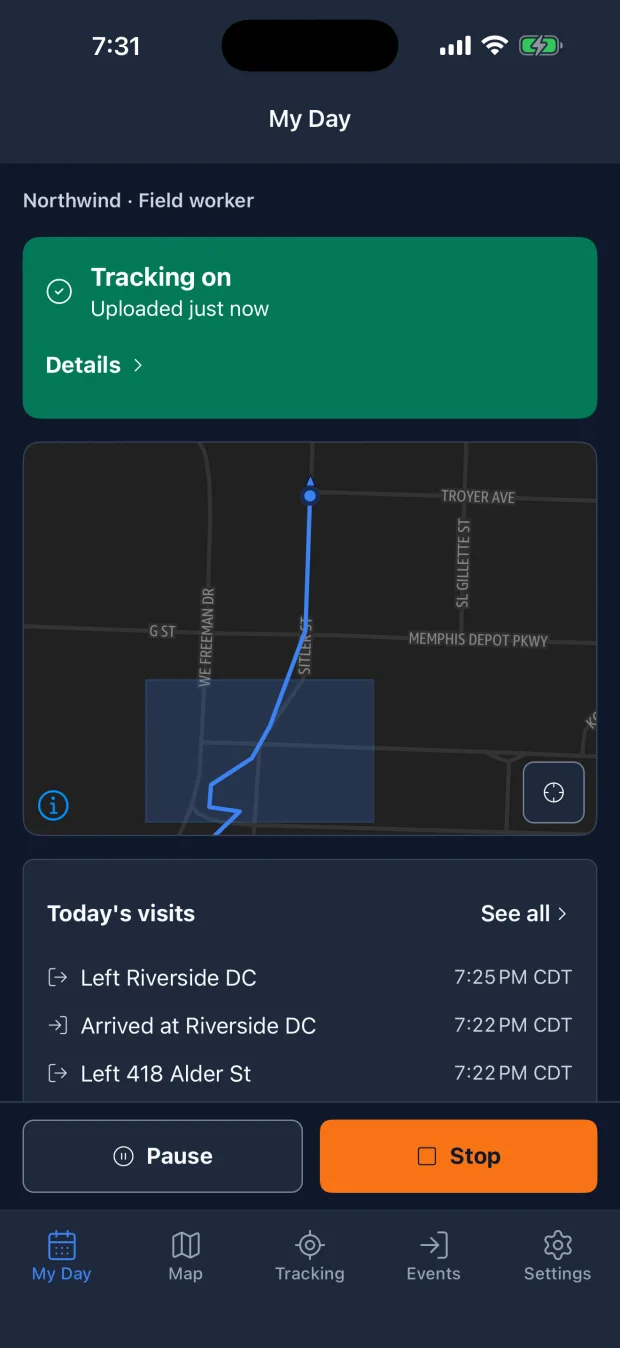
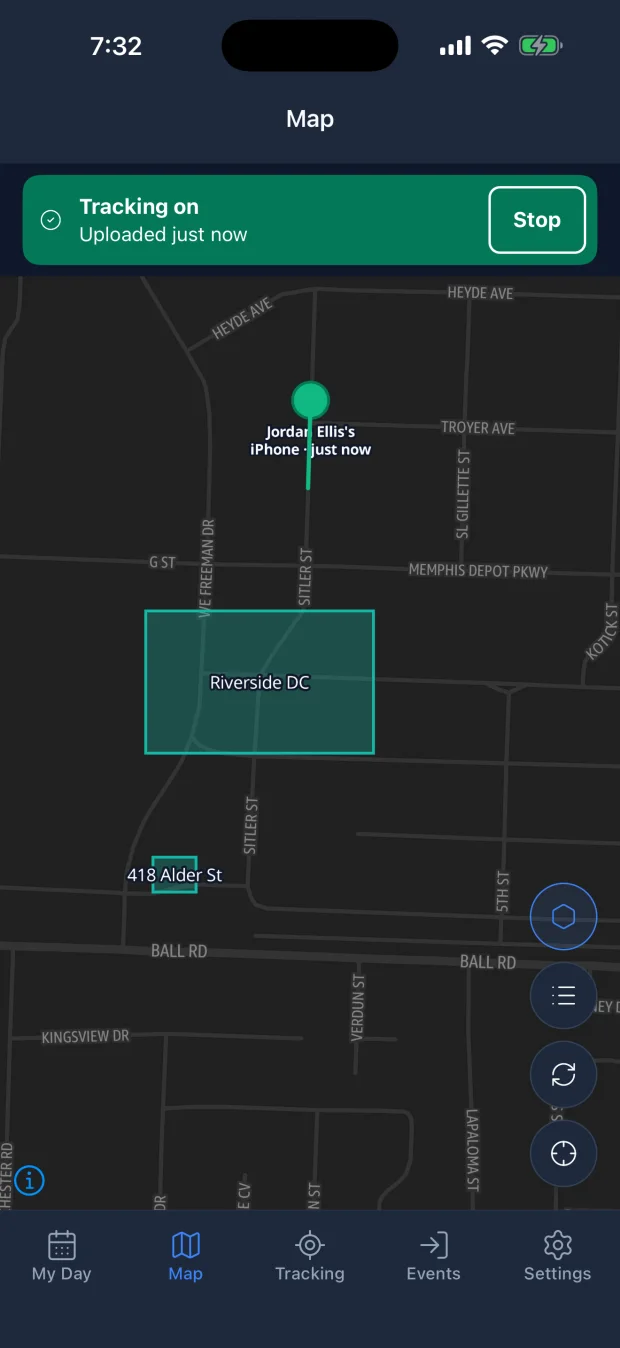
Your manager sees the same record in the SpatialFlow web dashboard, so fewer check-in calls and end-of-day write-ups.
While you're tracking, arriving at a site your team has marked records the arrival, and leaving records the departure. My Day lists today's visits, and Events keeps the rest.
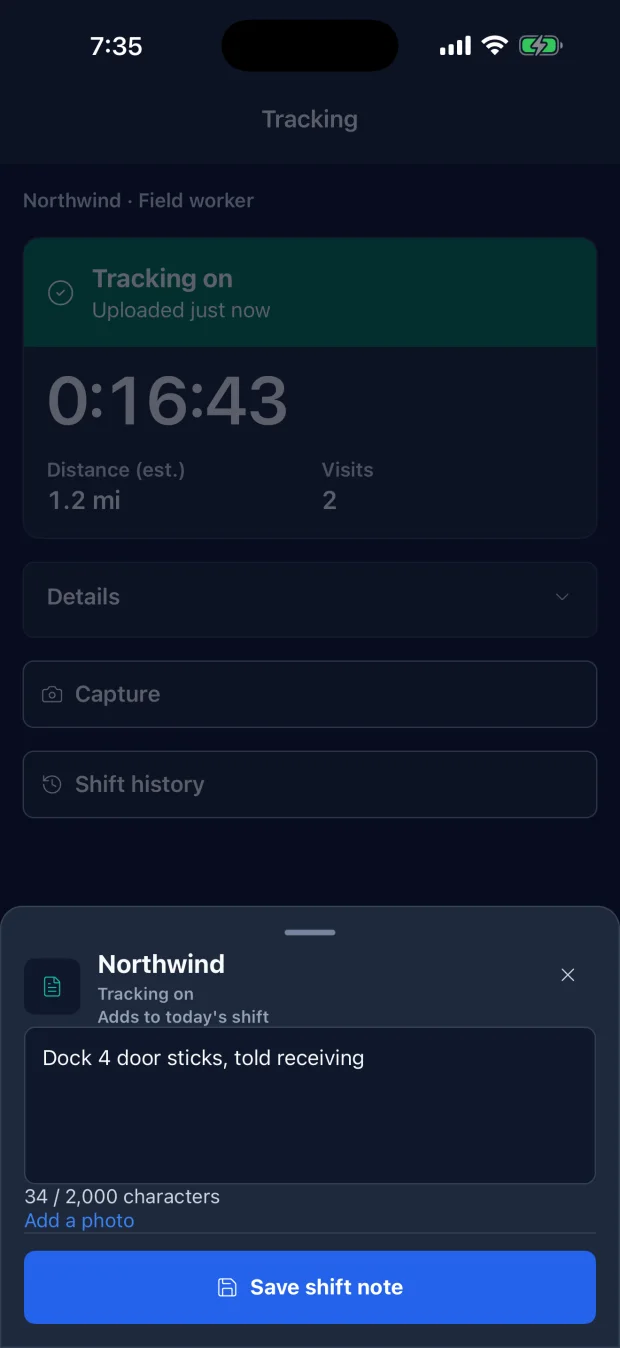
Add a note or a photo from Capture during your shift. A note is saved to today's shift, where your manager reads it alongside your route, and photos upload as you take them.
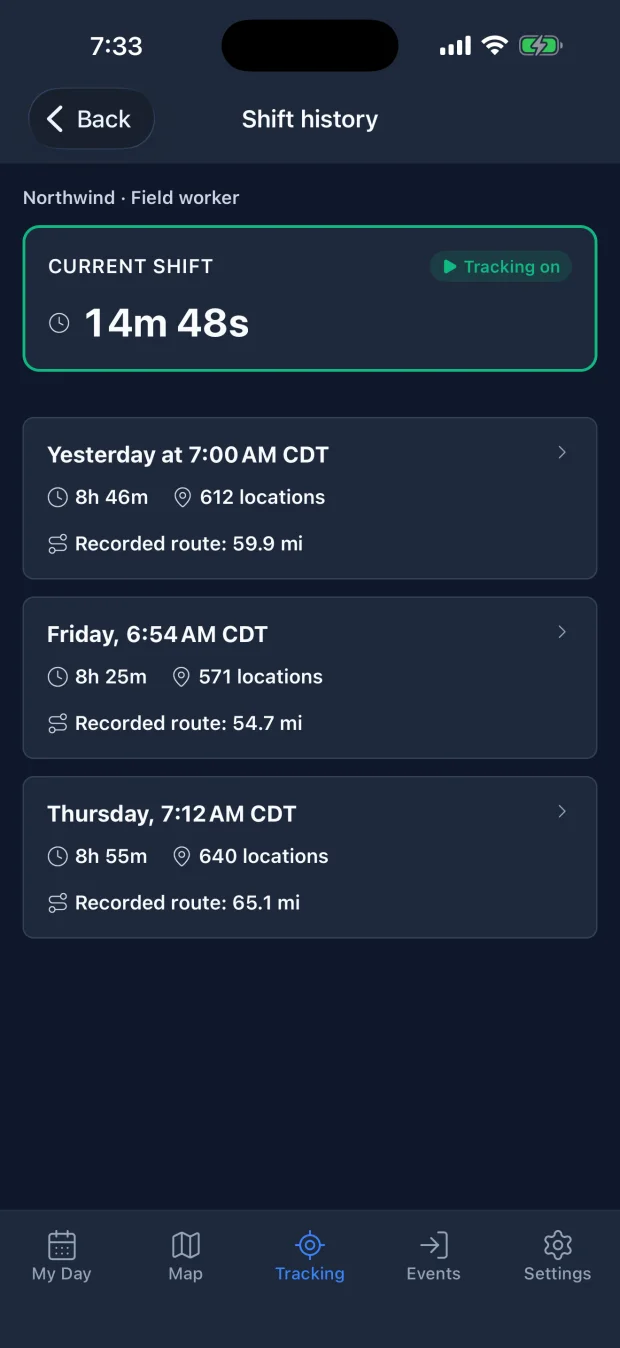
Shift history shows the shift you're on, then each past shift with its length, how many locations it recorded and the distance.
Start, pause and end tracking yourself. Your location is shared only while you're on shift, and your manager can't turn tracking on for you.
Up to a day of locations waits on the phone and uploads when coverage comes back, stamped with the time each was recorded. Tracking shows when the last upload went through.
Install SpatialFlow, accept your workspace invitation, and follow the in-app permission steps before starting work tracking.