
Security guard GPS tracking for mobile patrols
Patrols with proof. Checkpoints that speak up.
Draw a geofence at each checkpoint on the patrol. Guards' phones stamp the time they reach each one while they're on shift, with no tag to scan. If a guard hasn't reached a checkpoint by the end of its window, or a phone goes quiet, the supervisor gets a text.

How it works
- Draw a geofence at each checkpoint: the front gate, the loading dock, the back lot. Name them the way your post orders do.
- Guards start their shift in the free SpatialFlow app. Each checkpoint their phone enters lands on the record with the time, with nothing to scan or tap.
- Add the rules your site needs. A check-in window texts the supervisor when a guard misses a checkpoint. An after-hours rule posts to #security when a phone from your crew enters the yard between 22:00 and 06:00. Texts go out through your own Twilio account.
The record
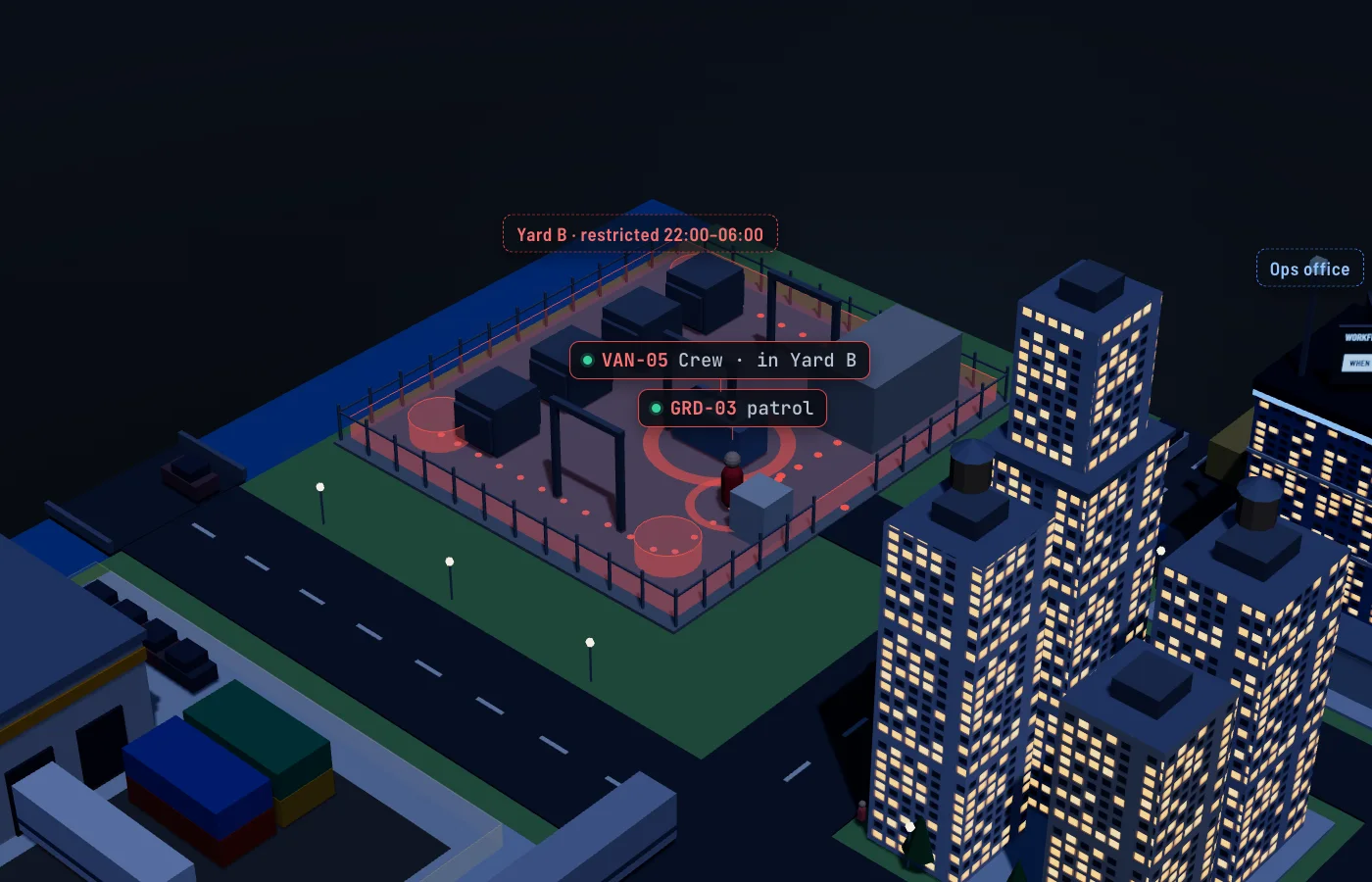
- WhenYard B · entered by a Crew device
- Only22:00 to 06:00
- ThenPost to #security · Text the supervisor
20:50  GRD-03  entered Checkpoint A
21:09  GRD-03  entered Checkpoint B
22:09  VAN-05  entered Yard B  → #security, supervisor texted
Quiet or still phones
A guard's phone that stops reporting on shift gets flagged after the minutes you set. So does one that hasn't moved more than 20 meters in 30 minutes, if you add that rule. A quiet phone keeps up to a day of points, or 10,000 of them, and its trail fills in when it reconnects.
What it proves
A checkpoint entry shows the guard's phone reached that geofence at that time. A checkpoint less than 100 meters across counts any point within 50 meters of it, so GPS error can't hide a visit. An entry doesn't show the guard checked a door or a lock. A missed check-in means no entry was recorded in the window; a phone without signal looks the same until it uploads.
What it isn't
SpatialFlow sees only the phones you enroll. It records your crew and your patrols with GPS geofences. It doesn't scan NFC or QR tags, and it has no panic button, man-down alert or incident reports.
The guard holds the switch
Tracking runs only while a guard is on shift, and a manager can't turn it on for them. The Attendance report shows each guard's first shift start, last shift end and time on shift.
Questions crews ask first
Do guards scan anything at a checkpoint?
No. The phone's GPS records when it enters each checkpoint geofence. GPS is less precise indoors and between tall buildings, so draw each geofence around the area the guard walks through, not a single door.
How do I know a checkpoint was missed?
Give it a check-in window for a guard's phone, such as Checkpoint B between 23:00 and 23:30 on weeknights. If no entry lands in the window, your rule texts the supervisor or posts to Slack. Each window covers one phone at one checkpoint once a day, so three rounds a night take three windows.
What if a guard's phone dies or loses signal?
A phone that stops reporting on shift gets flagged after the minutes you set. Without signal, the phone keeps up to a day of points, or 10,000 of them, and uploads them when coverage returns, each with the time it was recorded.